Mac App · The Index / 04
Glowbeat.
Your smart bulbs, dancing to whatever your Mac is playing. Spotify, YouTube, a movie, anything. And when the party's over, Glowbeat does the everyday stuff too.
Straight up: I've only tested Glowbeat with one kind of bulb. It's the 6 pack from Costco (Govee H6004 multicolor bulbs), because that's what's in my living room. Other Govee lights might work. Nobody has tried them yet.
- Price
- Free, open source (MIT)
- Runs on
- Mac, macOS 14.4 or later
- Tested bulbs
- Govee H6004 (Costco 6 pack)
- Account
- None
- Internet
- Not needed, home Wi-Fi only
- Data collected
- None
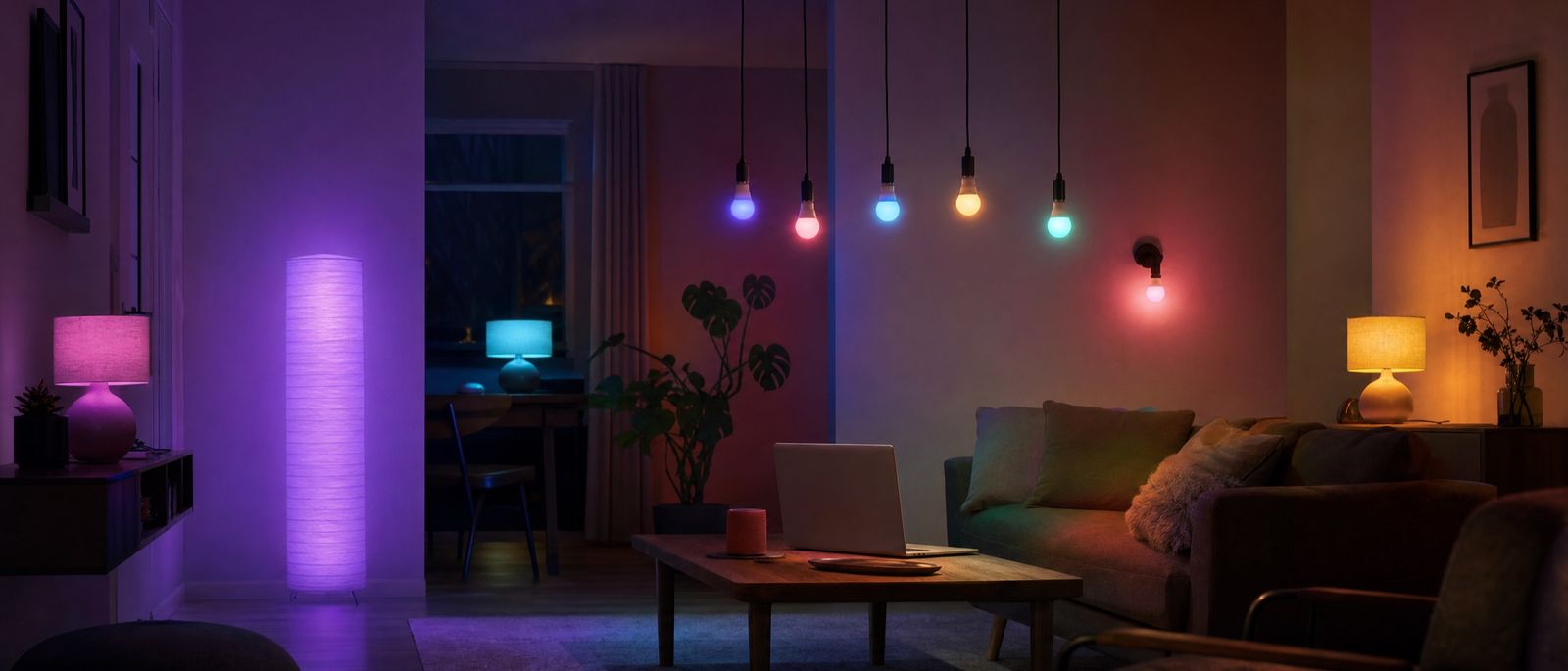
I bought a 6 pack of Govee bulbs at Costco, and right away I wanted them to move with the music. So I built Glowbeat.
Here's the idea. Your Mac is already playing the music. Glowbeat listens to that sound, finds the beat, and tells your bulbs what to do, right over your home Wi-Fi. No microphone, no hub, no account.
It grew into more than a party trick, though. A warm color after dinner. Lights that fade up when you wake. A room that goes dim on its own at bedtime.
What it does
Five panes in one window, plus a shortcut in your menu bar.
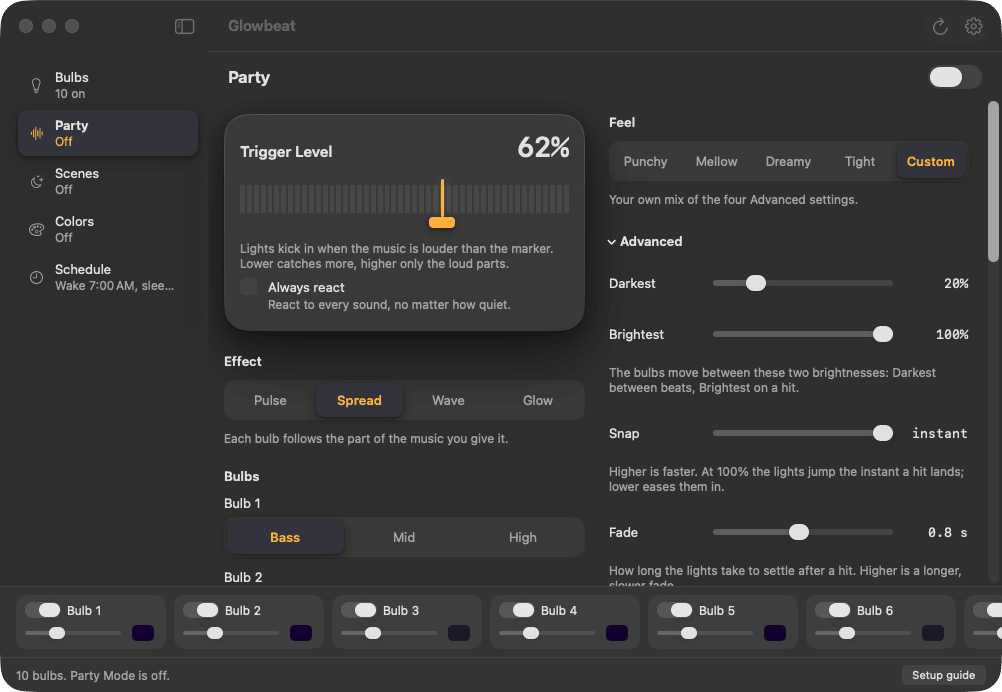
- 01 Party Your bulbs react to anything playing on your Mac. Pick a style, pick a color theme, flip the switch.
- 02 Colors 26 hand-picked colors, one click each. Set it, then go live your life.
- 03 Scenes Calm, slow-moving light with no music needed: Breathe, Color flow, Candle, Sunset and Static.
- 04 Schedule Lights that come on when you wake up and dim down at bedtime. They can even follow your Mac's Night Shift.
- 05 Bulbs Turn each bulb on or off, set its brightness and color, and give it a name. Drag them into the order they sit in your room. Not sure which is which? Click the flash button and that bulb blinks.
- 06 Menu bar panel The quick stuff lives up in your Mac's menu bar: all bulbs on or off, brightness, the colors, and the party switch. You don't need the window open.
How Party works
It listens like a volume meter does. It never records.
Glowbeat hears the sound your Mac is already making, the same sound going to your speakers. It splits it into bass, middle and high, spots the beats, and sends your bulbs a new color up to ten times a second. That's it. Nothing gets saved, and nothing leaves your house.
- PulseEvery bulb flashes together on the beat.
- SpreadEach bulb follows its own part of the music: bass, mid or high. You choose which.
- WaveColor rolls from one bulb to the next, across the room.
- GlowNo flashing. The room just gets brighter when the music gets louder.
A quick heads-up: Pulse with the Punchy or Tight feel can flash fast. If flashing lights bother you or anyone in the room, try Glow or the Dreamy feel instead.
- 01 Ten color themes Party, Sunset, Ocean, Neon, Warm white, Blacklight, Forest, Candy, Ice and Fire.
- 02 Confetti Flip it on and every bulb wears its own color from the theme. No two bulbs next to each other ever match.
- 03 Feel presets Punchy is fast and bright. Tight flickers sharp and goes dark between hits. Mellow is low and slow. Dreamy has soft hits and a long settle. There are sliders underneath if you want to fine-tune, and you can save your own mix as the default.
- 04 Trigger Level One marker sets how loud the music has to be before the lights react. Lower catches more. Higher saves it for the big moments. Or tick Always react and they'll move to everything.
- 05 Plays nice with the Govee app Change a bulb from your phone mid-party and Glowbeat steps aside instead of fighting you. Press Resume when you want it back.
Colors
Pick a color. Pick a brightness. Move on with your life.
I picked all 26 by hand for how they look on a bulb, not a screen, because a color that looks great on a screen can look totally different in a room. One click paints the room and stops anything else that was running. The same colors sit in the menu bar panel too.
Whites
- Overcast
- Daylight
- Studio
- Neutral
- Warm
- Candle
Sky
- Sunrise
- Golden hour
- Dusk
- Twilight
- Moonlight
- Midnight
Mood
- Blacklight
- Lava
- Ember
- Lavender
- Rose
- Mint
- Ocean
- Forest
- Ice
Playful
- Neon pink
- Electric blue
- Lime
- Tangerine
- Grape
Schedule and Night Shift
Set it once. Your lights keep your day.
Wake turns the lights on at your wake-up time, fading up slowly if you like. Sleep dims them down and switches them off at bedtime. In between, pick how your white light should feel:
- DaylightCool, bright white. Good for getting stuff done.
- NightWarm white with less blue light, for winding down.
- AutoFollows your Mac's Night Shift, so the room warms up when your screen does.
Two honest notes. Timers run while your Mac is awake, and if it was asleep, the lights catch up the moment it wakes. And a bulb can only wake up if it has power, so leave its wall switch on.
No account, no cloud, no sign-up. Glowbeat talks to your bulbs directly over your home Wi-Fi. No analytics, no tracking, and nothing about you or your music ever leaves your house. It hears your Mac's sound only to find the beat, and it never records or saves any of it. Read the privacy policy.
Getting started
Just bought the bulbs? Here's everything, start to finish.
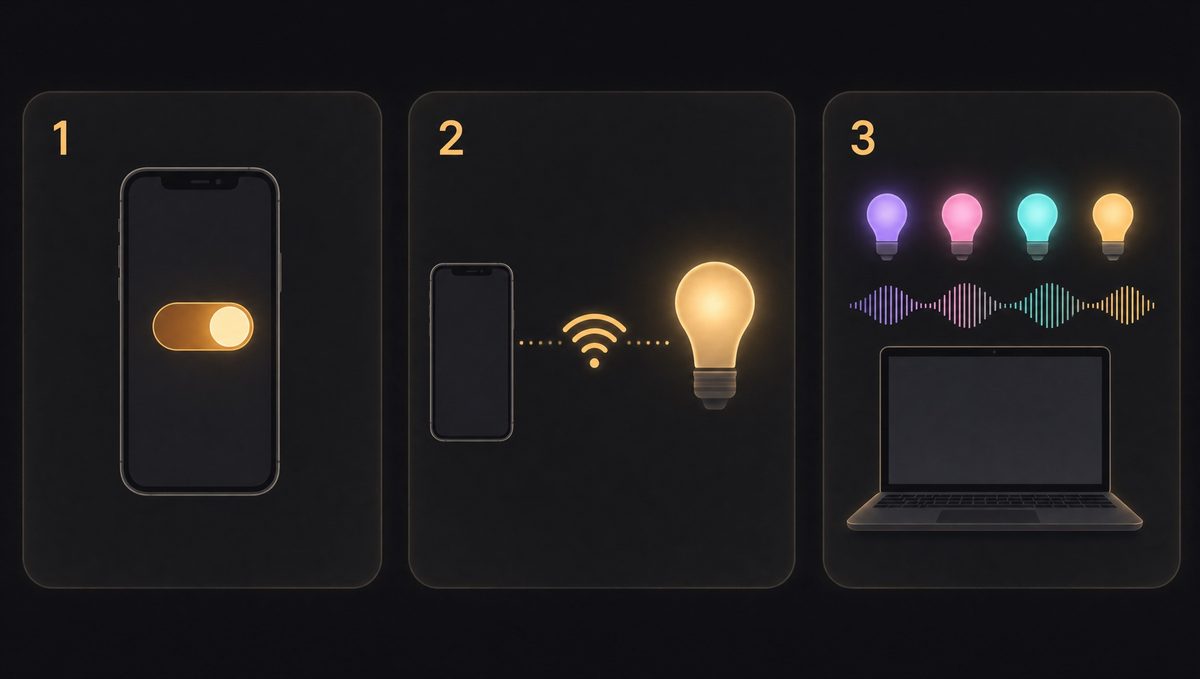
-
01
Set up the bulbs in the Govee Home app
On your phone. You only do this once.
- Screw in the bulbs and switch them on.
- Install Govee Home from the App Store or Google Play and sign in.
- Tap + and add each bulb. They need a 2.4 GHz Wi-Fi network, which most home routers have.
- Turn on LAN Control for every bulb. Open a bulb in Govee Home, tap the gear icon in the top right corner, and switch LAN Control on. Repeat for each bulb.
- 02 Put your Mac on the same Wi-Fi Your Mac and the bulbs need to be on the same home network. Guest networks usually won't work, because they keep devices from seeing each other.
-
03
Open Glowbeat
- Download Glowbeat, open the file, and drag Glowbeat into your Applications folder.
- Open it. It's signed and checked by Apple, so it opens like any other app.
- When Glowbeat asks to find devices on your local network, click Allow.
- Your bulbs show up in a few seconds. Click the flash button on each one to see which bulb it is, then drag them into the order they sit in your room.
-
04
Start your first party
- Click Party in the sidebar and flip the switch on.
- Play some music.
- The first time, macOS asks to let Glowbeat hear your Mac's audio. Click Allow. It only listens to find the beat. Nothing is recorded.
- Pick a style and a color theme, then drag the Trigger Level marker until it feels right. Lower reacts to more.
Questions
Which bulbs work with Glowbeat?
The one I know works is the Govee H6004, the multicolor Wi-Fi bulbs sold in a 6 pack at Costco. That's the only bulb I've tested.
Other Govee lights with LAN Control might work too. I just can't promise it, because nobody has tried them yet. If you try one, please open an issue on GitHub and tell me how it went, good or bad.
Is it free?
Yes. Glowbeat is free, with no trial, no subscription and nothing to unlock. It's also open source under the MIT license, which means anyone can read the code, change it, or build their own version. It's all on GitHub.
If it makes your room better and you want to say thanks, you can buy me a coffee on Ko-fi. Totally optional.
Is it on the Mac App Store?
No. You download it right from this page (or from GitHub). It's signed and checked by Apple, so it installs like any other Mac app, and it updates itself.
Does it record my audio?
No. Glowbeat only measures the sound, the way a volume meter does, to find the beat. It never records it, saves it, or sends it anywhere. macOS still asks you to allow "audio recording" the first time, because that's the name Apple gives the permission for hearing your Mac's sound at all.
Do I need a Govee account?
Only for the one-time bulb setup in the Govee Home app, since that's how Govee connects the bulbs to your Wi-Fi. Glowbeat itself has no account and never talks to Govee's servers.
Can I still use the Govee app?
Yes. If you change a bulb from your phone during a party, Glowbeat notices and steps aside. Press Resume when you want the show back.
Does my Mac have to stay on?
For Party, yes, since the music comes from your Mac. For the wake and sleep timers, your Mac needs to be awake. If it was asleep, the lights catch up as soon as it wakes. A color you set stays on the bulbs even after you quit.
Which Macs does it run on?
Any Mac running macOS 14.4 (Sonoma) or later.
If something isn't working
| What you see | Try this |
|---|---|
| No bulbs found | Check that LAN Control is on for every bulb and that your Mac is on the same Wi-Fi. Then open System Settings, Privacy & Security, Local Network, and make sure Glowbeat is switched on. |
| Lights don't react to music | Make sure something is playing and your Mac isn't muted. Check System Settings, Privacy & Security, Screen & System Audio Recording, and switch Glowbeat on. Then lower the Trigger Level, or tick Always react. |
| Party paused by itself | Someone changed a bulb in the Govee app, so Glowbeat stepped aside. Press Resume. |
| The wake-up timer didn't turn the lights on | Bulbs need power to wake up, so leave their wall switch on. Timers run while your Mac is awake. If it was asleep, the lights catch up when it wakes. |
Still stuck? The support page has more, and my email.
Glowbeat is an independent app. It isn't made by, endorsed by, or affiliated with Govee. Govee and Govee Home are Govee's trademarks.
Want to help?
Glowbeat is open source, and I'd love a hand.
The code is on GitHub under the MIT license. Fork it, poke at it, make it yours. Here's what would help the most:
- 01 Try it with other Govee lights This is the big one. I only own the Costco bulbs. If you have a different Govee light, try Glowbeat and open an issue with the model number and what happened. "It worked" is just as useful as "it didn't."
- 02 Report bugs and ideas Something weird happen? Wish it did something else? GitHub issues is the place.
- 03 Send code It's a native Mac app in Swift and SwiftUI. Pull requests are welcome, especially ones that add support for more Govee lights.
Get Glowbeat
Free and open source, for Mac.
Download it, drag it into Applications, and your lights are a few clicks away. It checks for updates on its own, so you'll always have the latest.
If Glowbeat made your room better, you can buy me a coffee on Ko-fi. It's never required, and it always makes my day.